Rename or delete a dashboard
Both flows live behind the same modal: Dashboard configuration… opens an editor; the same modal carries the Delete button.
Goal
Change a dashboard's metadata (name, description, icon, slug) — or delete it.
Prerequisites
- You must own the dashboard (or be an admin) to delete it.
- At least one personal dashboard must remain — MyDash blocks the delete on your last one.
Steps
1. Open the cog menu on the row
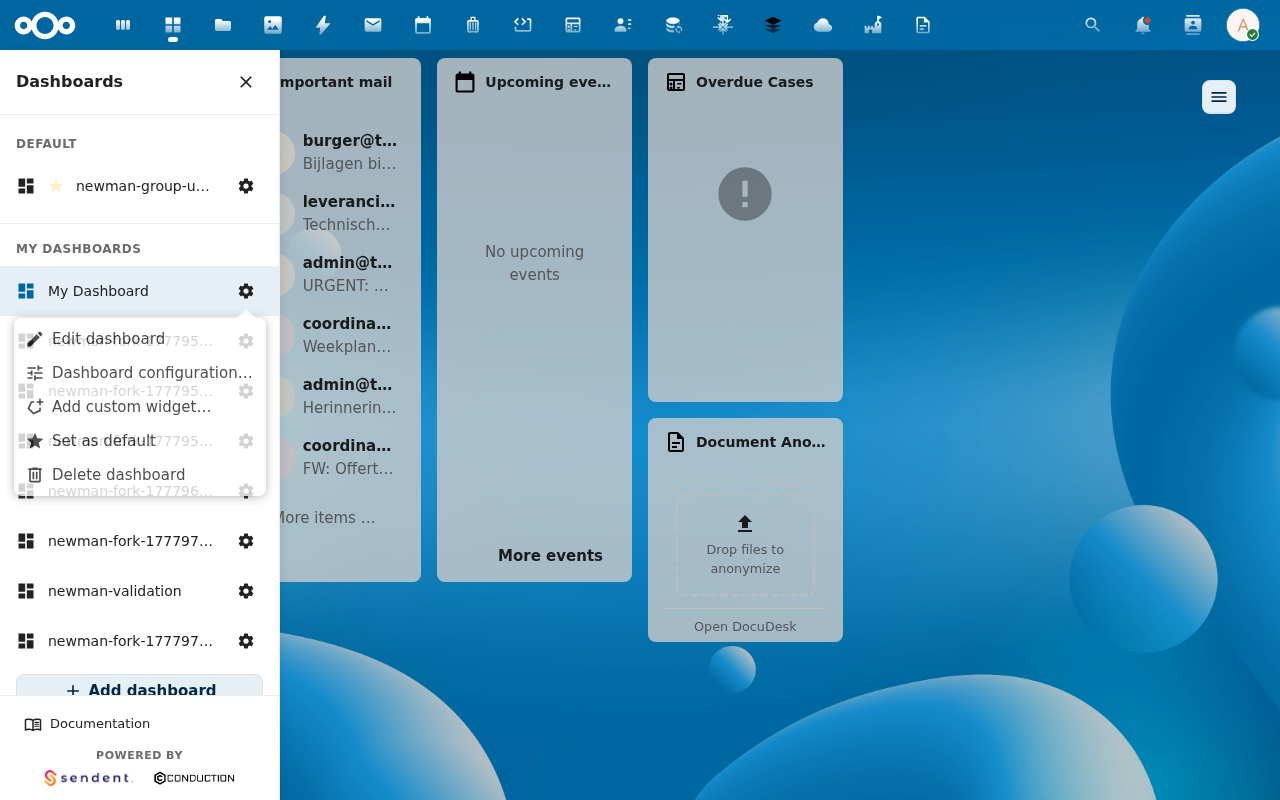
2. Click Dashboard configuration…
The configuration modal opens with the current values pre-filled:
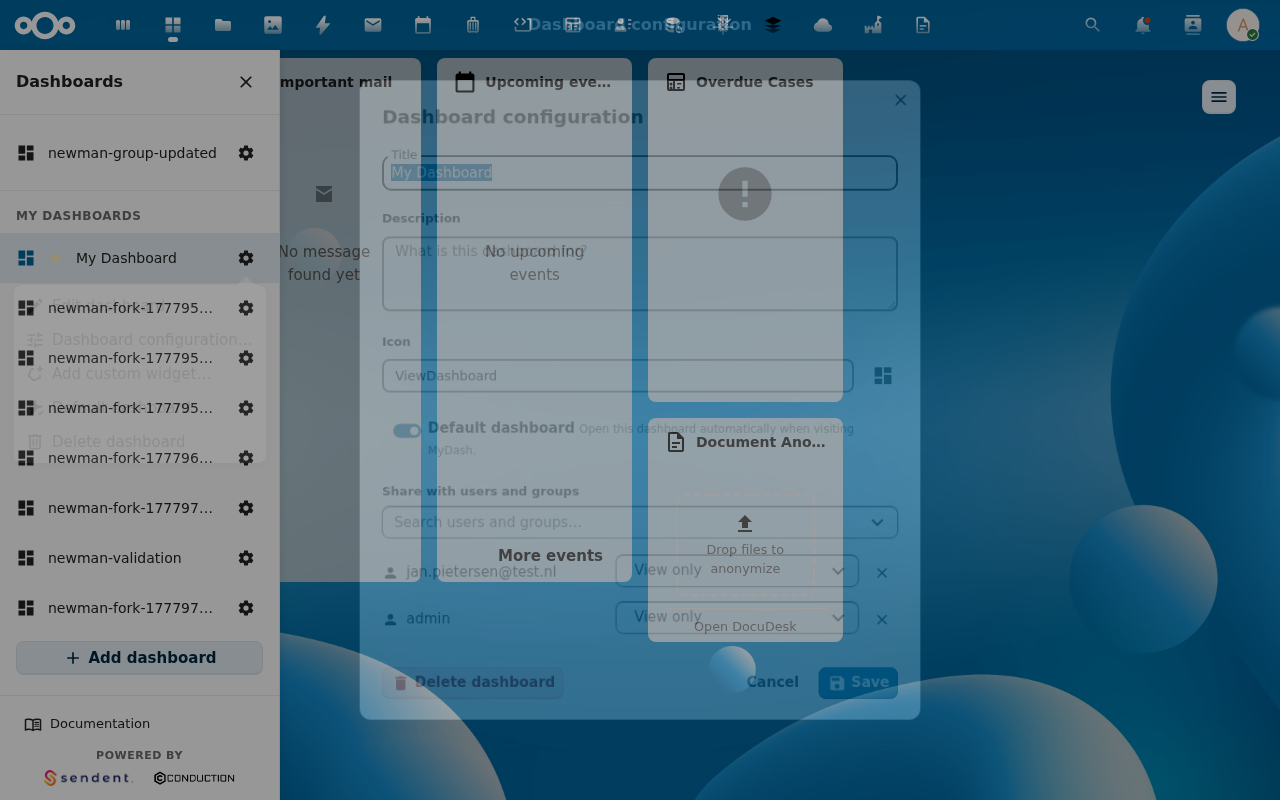
Editable fields:
- Name — required.
- Description — optional.
- Icon — registry key, URL, or empty for default.
- Slug — affects the dashboard's URL. Auto-derived from the name on first save; you can override.
- Sort order — position in its sibling list.
- Set as default — toggle (same effect as the cog menu's Set as default).
3a. Rename — change fields and click Save
The dashboard updates in place. Slug changes propagate to the URL: if you were viewing /apps/mydash/old-slug your address bar updates to the new slug via history.replaceState.
3b. Delete — click the Delete dashboard button
A confirmation prompt appears. Confirming issues DELETE /api/dashboard/{id}; the row is removed from the sidebar and the active dashboard falls back to your default (or the next available).
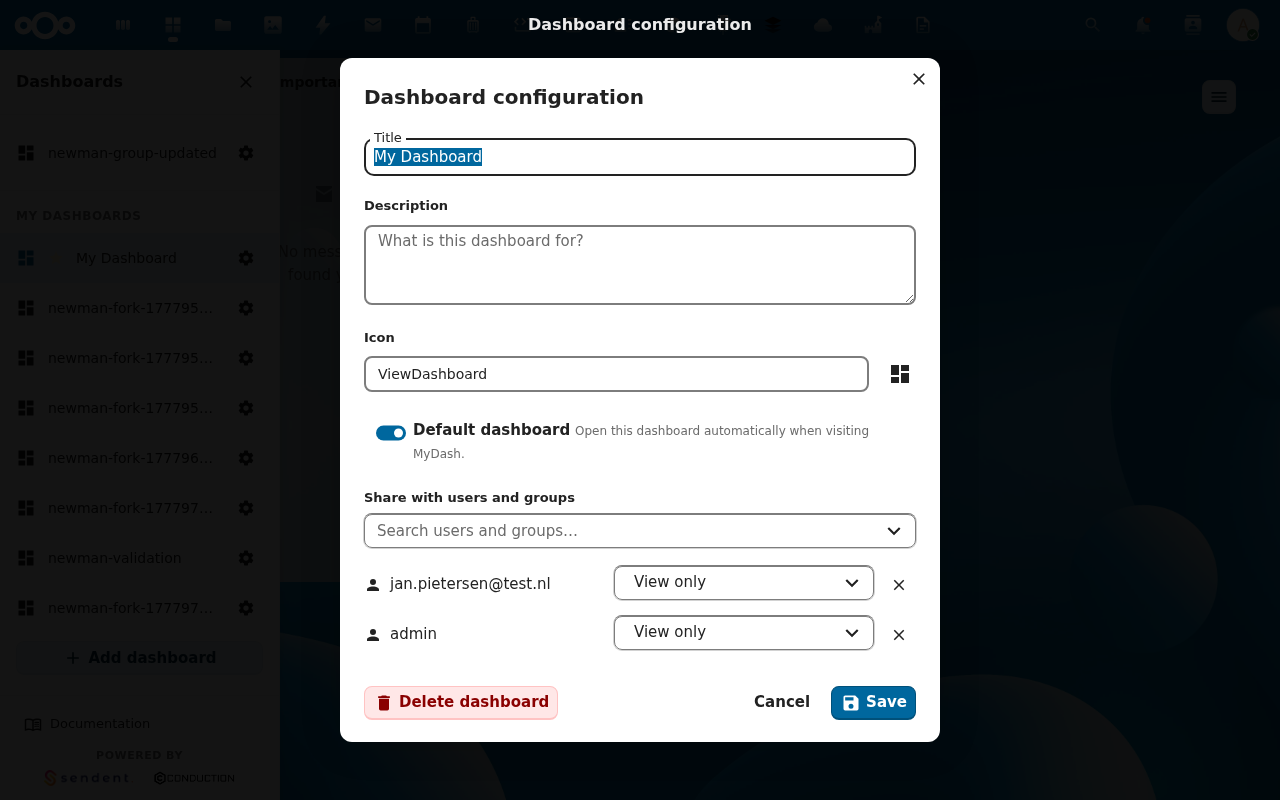
Deleting a dashboard removes it AND every widget placement on it. There is no undo. Tile data, widget configs, and the dashboard row itself are all dropped.
Verification (rename)
- Sidebar row shows the new name.
- URL bar reflects the new slug if you were on that dashboard.
- The change persists across reloads.
Verification (delete)
- Sidebar row is gone.
- Active dashboard is now your default (or the next available).
GET /api/dashboardsreturns the same row count minus one.
Common issues
| Symptom | Fix |
|---|---|
| Delete dashboard is greyed out | This is your last personal dashboard. Create another one first. |
| "Slug must be unique among siblings" on save | Pick a different slug or rename a sibling. |
| Slug field rejected | Slugs allow lowercase ASCII letters, digits, and dashes. The configuration modal validates client-side. |
Reference
- Dashboards feature reference
- API:
PUT /api/dashboard/{id},DELETE /api/dashboard/{id}