Set a default dashboard
When you visit /apps/mydash/ cold (no specific dashboard URL) MyDash needs to pick one to land you on. The default-resolution chain is:
- Your pin — the dashboard you marked Default dashboard in the cog menu.
- Your primary group's default dashboard (if your admin set one).
- The org-wide default group's default dashboard.
- The first available group dashboard.
- The first available default-group dashboard.
- The first of your personal dashboards.
This page is about step 1 — the per-user pin. It always wins over the resolver fallback chain.
Goal
Pin a dashboard as your personal default; verify the ★ marker appears in the sidebar.
Steps
1. Open the sidebar and click the cog on the row you want as default
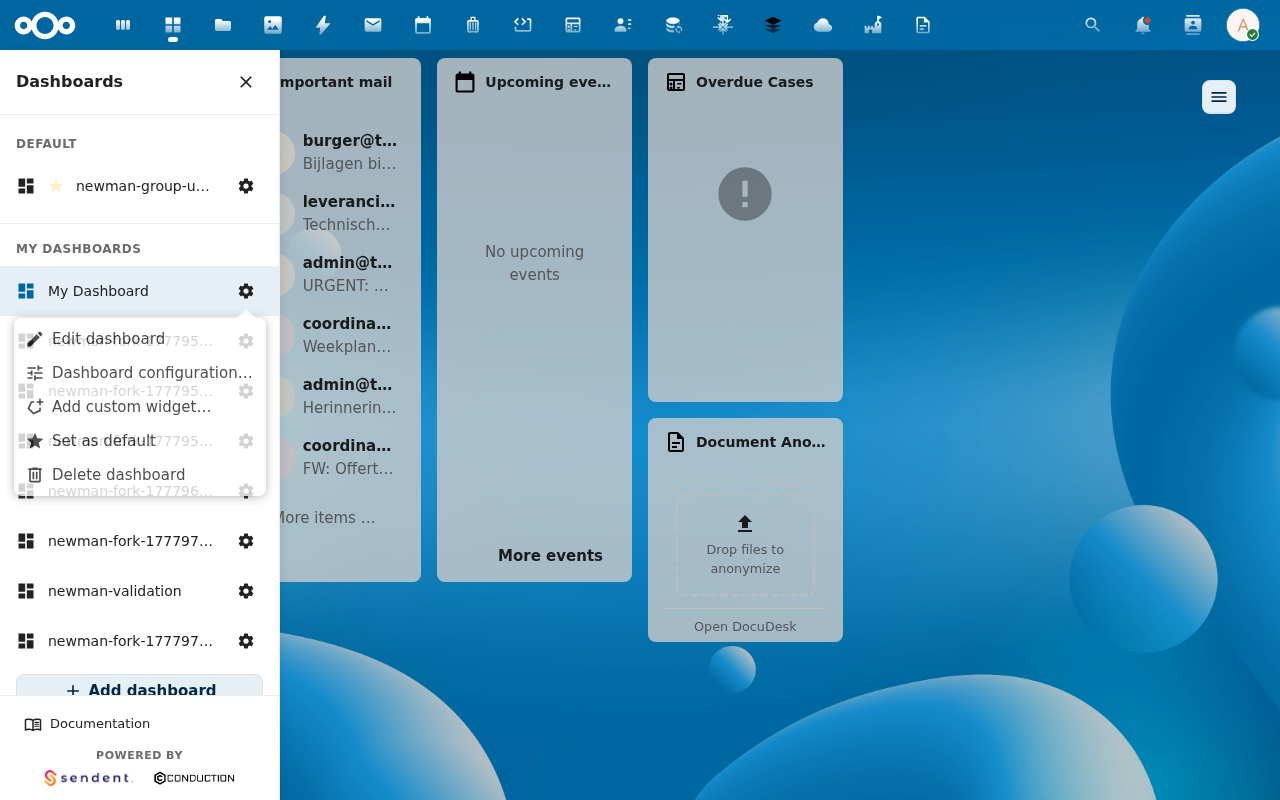
2. Click Set as default
(If the row is already your default the entry reads Default dashboard with a filled-star icon — clicking it now would clear the pin.)
3. Watch the ★ appear next to that row
The sidebar redraws with a small star to the left of the dashboard name on the pinned row:
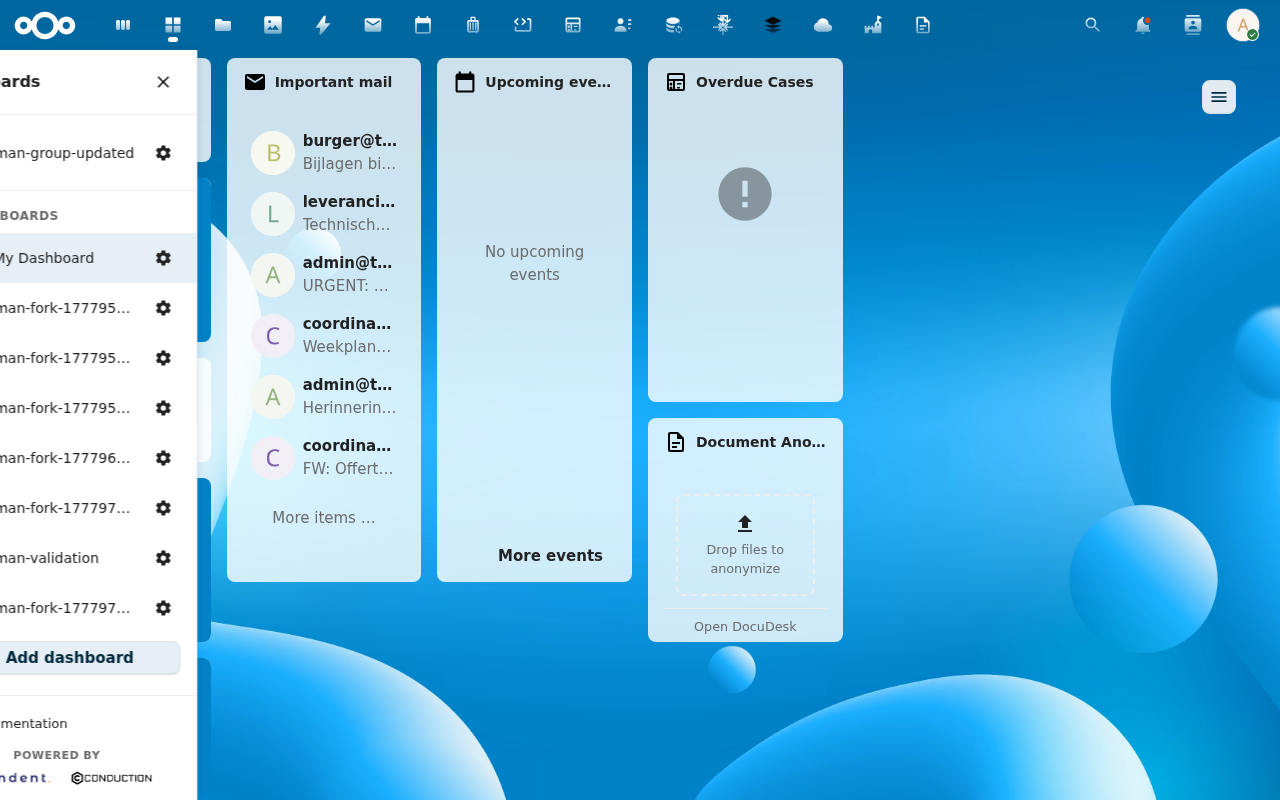
The marker carries a tooltip on hover: "Default dashboard — opens automatically when you visit MyDash". Screen readers announce the same string via aria-label.
4. Verify on next cold-load
Close the tab. Visit /apps/mydash/ from scratch. You land on the pinned dashboard.
Behaviour notes
- The marker is reactive. It moves immediately when you pin a different dashboard or clear the pin.
- The marker can land on any section. Personal pin in MY DASHBOARDS, group dashboard in the primary-group section, default-group dashboard in DEFAULT — all carry the same star.
- No pin set? The marker still appears on whichever group dashboard the resolver would land on (the same fallback chain — steps 2-5 above).

Common issues
| Symptom | Fix |
|---|---|
| Star doesn't appear after clicking | Reload the page once. If it's still missing, check that your environment is running development-branch mydash (the marker shipped recently). |
| The star is on the wrong row after a rename | The pin is by UUID, which is stable across renames — so this shouldn't happen. If it does, clear and re-pin. |