Bulk operations on dashboards
Bulk operations are admin-only and let you act on many dashboards at once instead of one cog-menu click at a time. Available operations:
- Bulk move — reassign a set of dashboards to a different group.
- Bulk delete — drop a set of dashboards (and their placements).
- Bulk reindex — refresh the search index entries (rare; useful after a schema change or a search fall-out).
- Bulk status — read a set's publication state without changing anything.
All four sit behind admin endpoints; the UI is in Admin settings → MyDash → Bulk operations.
When to use this
- Cleaning up after a bad migration that left orphan dashboards.
- Reorganising groups (e.g. merging
eng-oldintoeng). - Refreshing search results after touching widget content fields.
Goal
Move every dashboard in eng-old into eng, then delete the now-empty eng-old group.
Prerequisites
- You must be a Nextcloud admin.
- Take a database backup first. Bulk delete is destructive and irreversible.
Steps
1. Open Bulk operations
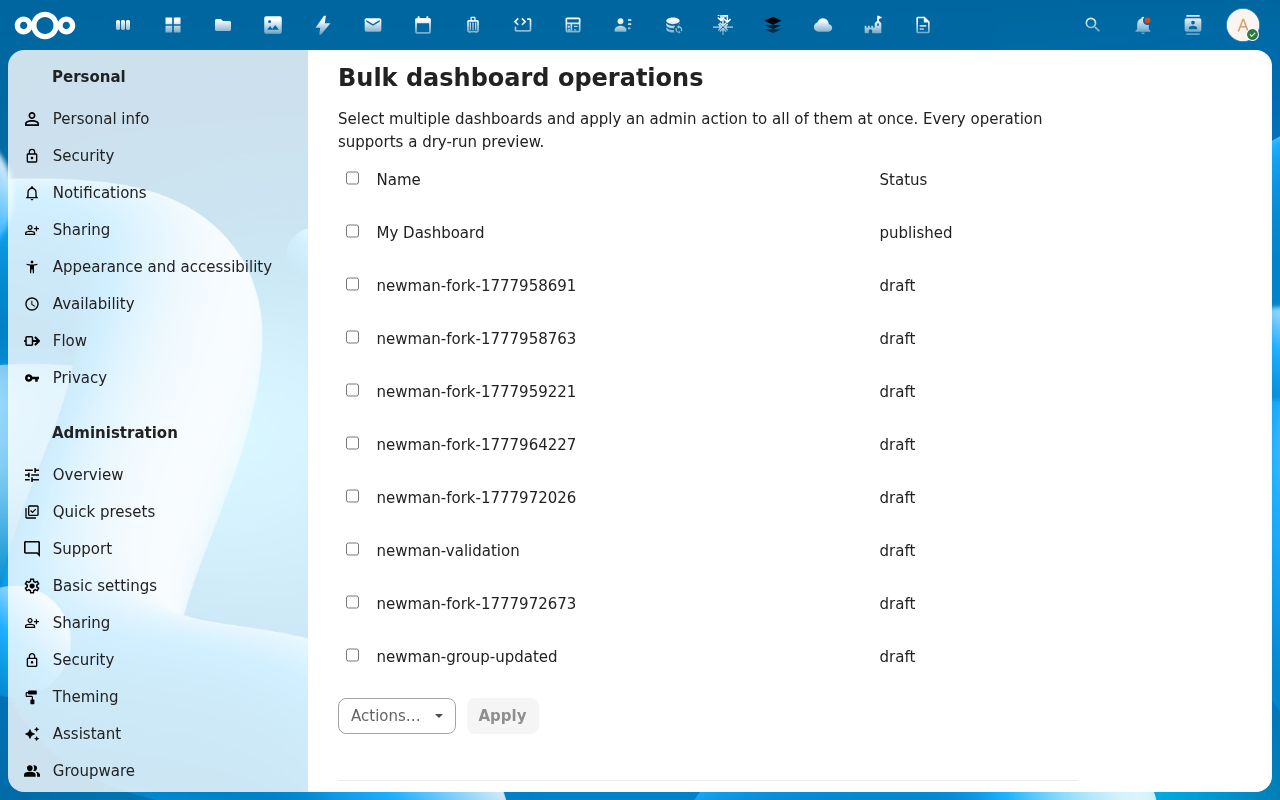
2. Filter the dashboard list
Filter controls: by group id, by source, by date range, by name match. The selected rows update live.

3. Pick Move and the target group
Select the rows (or Select all matching), open the action dropdown, pick Move, type or pick the target group id (eng).

4. Confirm
A confirmation dialog summarises what's about to happen — count, source group, target group, the same fields as a dry-run query.
The action issues POST /api/admin/dashboards/bulk-move with the UUIDs and target group id. Service-side this is a single transaction: all rows or nothing.

5. Repeat for Delete on the empty group
After the move, refilter on eng-old (now zero hits if move succeeded), or just delete the group itself outside MyDash via occ group:delete eng-old.
Behaviour notes
- All-or-nothing transactions. Move and delete wrap in a DB transaction. A partial failure rolls back, so you never end up with half-moved sets.
- Audit trail. Every bulk operation logs to the Nextcloud activity stream with the actor user id, action, and affected count. Useful for incident response.
- Reindex is async. Bulk reindex enqueues background jobs — the response returns immediately with the job count, and reindexing happens in
cron.phpruns.
Common issues
| Symptom | Fix |
|---|---|
| "Some rows could not be moved" | The transaction rolled back. Look at the error detail — likely a slug-collision in the target group. Rename a colliding dashboard first. |
| Bulk delete didn't reduce row count | Pre-check the filter; you may have deleted nothing. |
| Reindex queued but search still stale | cron.php hasn't run since enqueue. Trigger manually: docker exec nextcloud php cron.php. |
Reference
- Dashboards feature reference
- API:
POST /api/admin/dashboards/bulk-{move,delete,reindex,status}