Restrict widgets per role
The role-based-content feature (RFP) lets an admin define an allow-list of widget IDs per role, where a role is a Nextcloud group plus a per-feature permission set. Members of restricted roles see a filtered widget picker and a filtered AddWidgetModal type list.
When to use this
- You want to keep certain widgets out of specific groups (e.g. hide HR-Notes from engineering).
- You want to enforce a minimal widget set for compliance / security reasons.
- You're rolling out MyDash to non-technical users and want to reduce cognitive load by hiding rarely-used widgets.
Goal
Define a role with a widget allow-list, assign it to a group, and verify members see only the allowed widgets.
Prerequisites
- You must be a Nextcloud admin.
- The target group exists.
Steps
1. Open MyDash admin settings → Roles
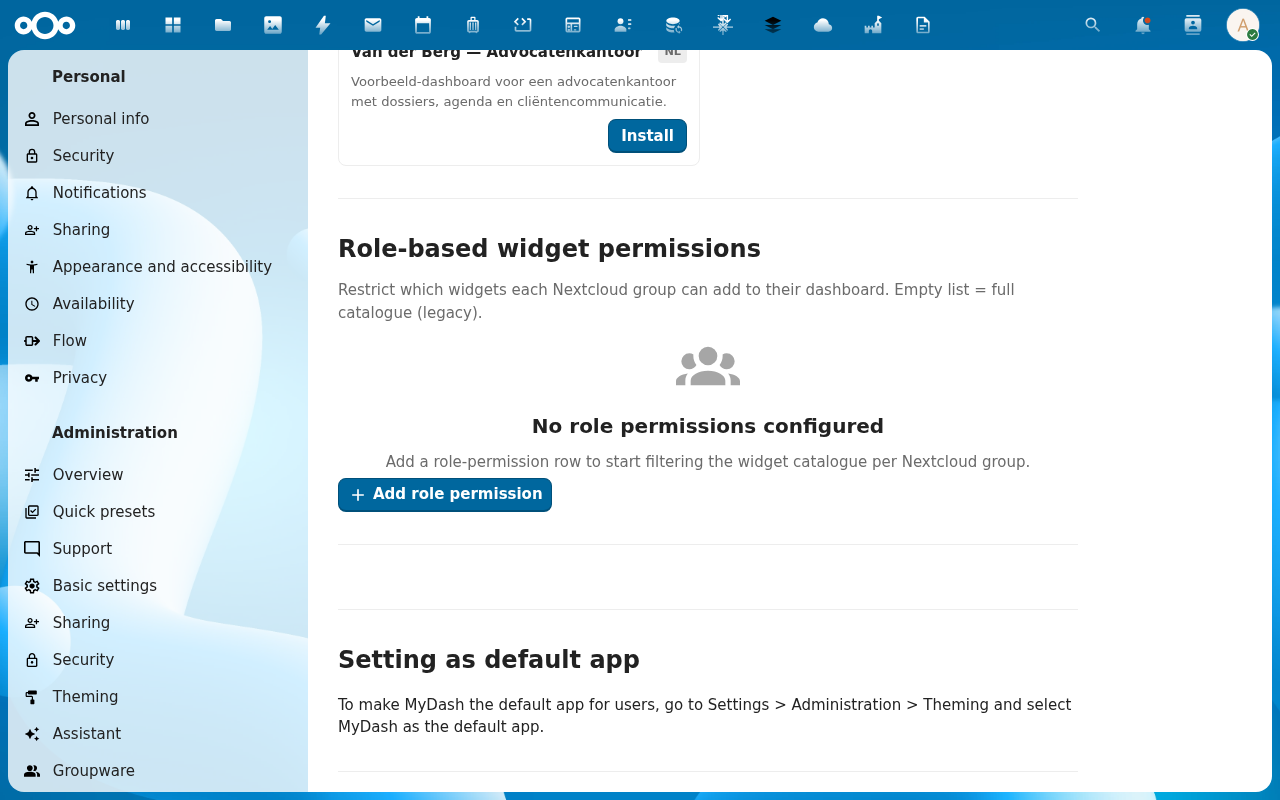
2. Click Create role
Required fields:
- Name — internal label.
- Group — Nextcloud group id this role applies to.
- Allowed widgets — multi-select of widget IDs (e.g.
recommendations,activity,tile,files,text).
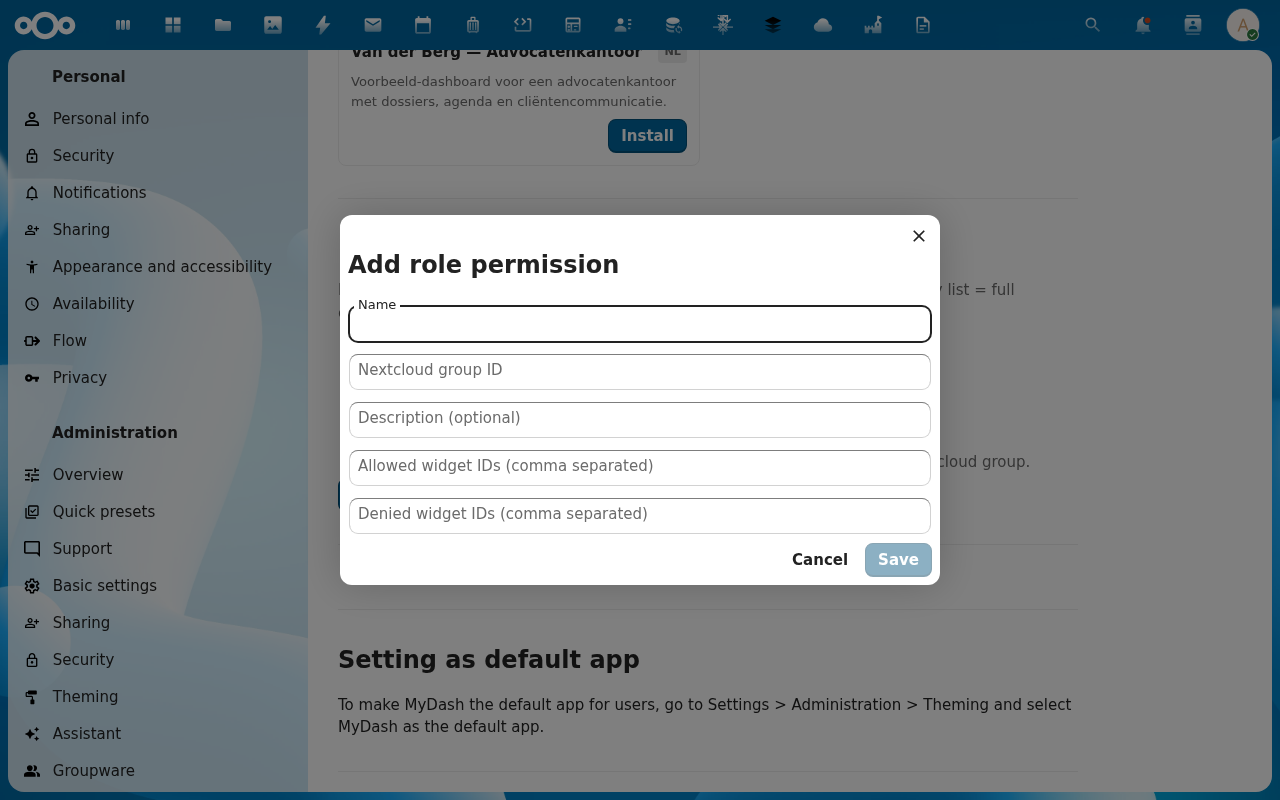
Leave the allow-list empty to mean "no restriction" (the default for users not in any role).
3. Save
The role row appears in the list. The allow-list is persisted in oc_mydash_roles and surfaced via RoleFeaturePermissionService::getAllowedWidgetIds(userId).
4. Verify on a member's view
As a member of the assigned group, open MyDash and the widget picker:

Only the allowed widget IDs appear. Existing placements of disallowed widgets keep rendering — the filter only applies to adding new widgets.
Behaviour notes
- Permissive default. Users with no matching role see the full widget catalogue. No role assignment ⇒ no restriction.
- Multiple groups, multiple roles → union. A user in groups
engandpmwith roles defining different allow-lists sees the union of all their roles' allowed widgets. - Role changes take effect on next page load. The allow-list is baked into initial state, not refetched live.
- Backend enforcement is on display only. The RFP allow-list is filtering the picker, not blocking the API. A determined user could still POST a placement with a disallowed widgetId — that's by design (the backend doesn't gate on widget type for placement creation, only on dashboard permission). If you need hard backend enforcement, file an issue.
Common issues
| Symptom | Fix |
|---|---|
| Member still sees all widgets | Reload the page. Allow-list is read on initial state, not live. |
| Allow-list empty but member sees nothing | Empty list = "no restriction" (full catalogue). If you want to show nothing, that's not a supported state — use admin templates with view_only instead. |
| Two roles conflict | Multi-role membership is a union. There's no priority / override. |