Mark a group's default dashboard
While admin templates clone a layout into each user's personal space, group defaults keep a shared dashboard visible to everyone in a group. Group defaults appear in the user's sidebar under the DEFAULT section and are read-only by default.
Goal
Mark an existing dashboard as the default for a Nextcloud group, and verify members of that group see it under DEFAULT.
Prerequisites
- A dashboard already exists (created by an admin in the admin context, not a personal user dashboard).
- The dashboard is shared with the target group via the group-share flow (see admin templates above for the share-with-group path).
- You must be a Nextcloud admin.
Steps
1. Find the dashboard you want to default
Open MyDash as the admin and navigate to the group dashboard. Open its cog menu.
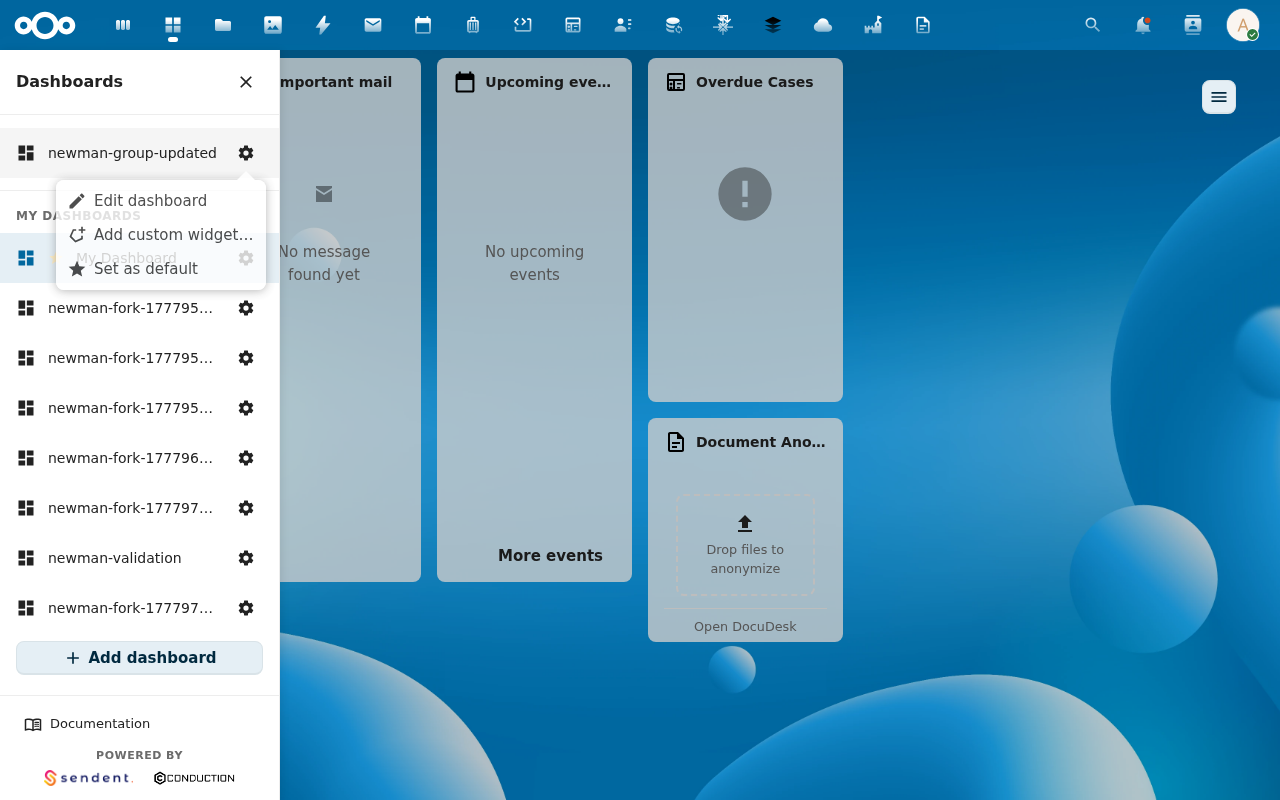
2. Click Set as default for <group>
This is admin-only. The action issues POST /api/dashboards/group/<group>/default with the dashboard's UUID. The service flips the previous group default off and the new one on in a single transaction (REQ-DASH-015), so members never see a flash with no default.

3. Verify on a member's view
Log in as a member of the group. Their sidebar's DEFAULT section now lists the dashboard you marked.

Behaviour notes
- One default per group. Marking a new default for a group automatically clears the previous one — atomic via a database transaction. There's no "two defaults" risk.
- Cross-group safety. If you accidentally try to mark a dashboard as default for a group it isn't shared with, the service rejects with 404 (existence is not leaked across group boundaries — REQ-DASH-015 scenario).
- The user's personal pin still wins. A user who manually pinned their own dashboard via Set a default dashboard lands on their pin, not the group default. The group default is the fallback when no personal pin exists.
- Cleared default → resolver fallback. If you clear a group default without setting a new one, members land on the org-wide default-group default (or further down the chain).
Common issues
| Symptom | Fix |
|---|---|
| The action is missing from the cog menu | The dashboard isn't shared with the group, or you're not an admin. |
| Members see no change after marking | OPcache. docker exec nextcloud apache2ctl graceful (the dashboard list is cached per-request). |
| "Cross-group default" error | The dashboard's groupId doesn't match the target group. Reshare it first. |
Reference
- Dashboards feature reference
- API:
POST /api/dashboards/group/{groupId}/default