Enable or disable personal dashboards
The allow_user_dashboards flag is the master kill-switch for end-user dashboard creation. When off, MyDash hides the + Add dashboard button, blocks POST /api/dashboard, and shows users a localised explainer in the empty state.
Goal
Toggle the flag on or off and verify the user UI reflects the change.
Prerequisites
- You must be a Nextcloud admin.
Steps
1. Open MyDash admin settings
Settings menu (avatar) → Administration settings → MyDash in the left nav.
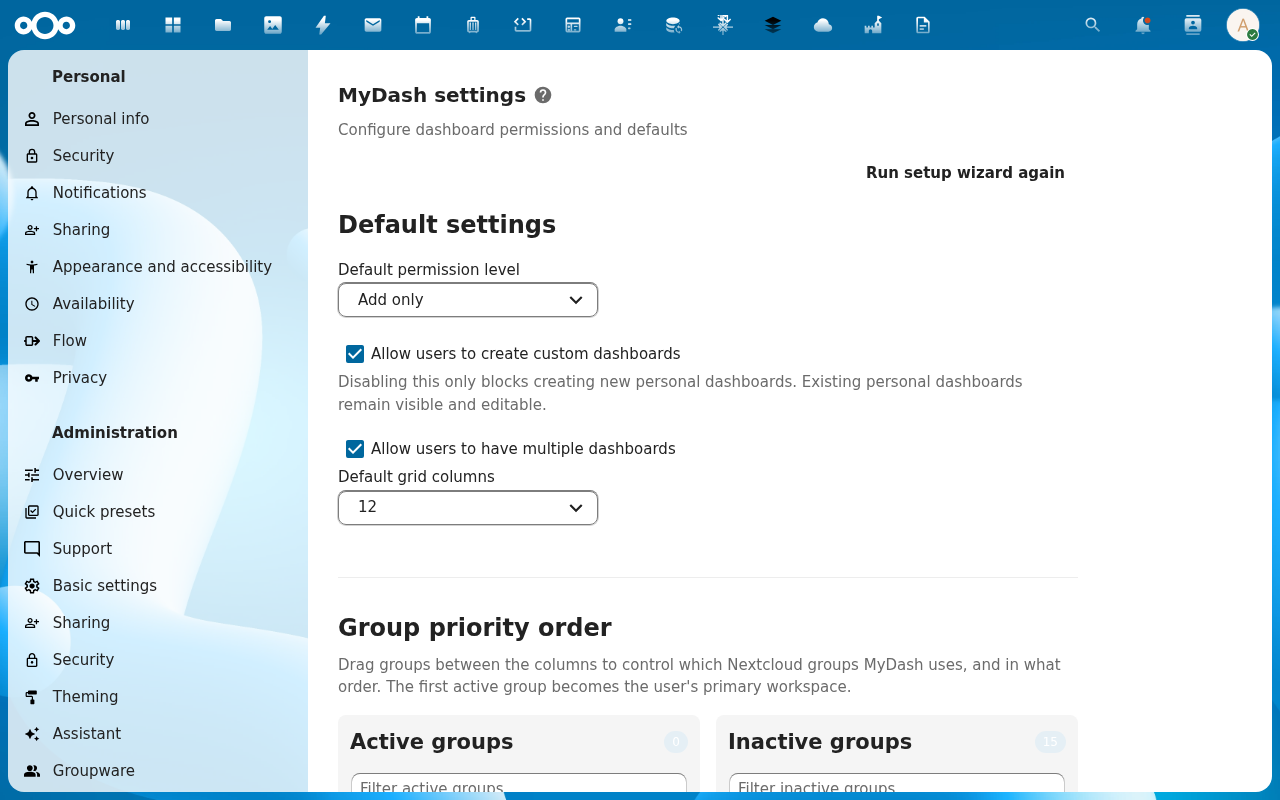
2. Find the Personal dashboards section
The section is near the top of the page. The toggle is labelled Allow users to create personal dashboards.
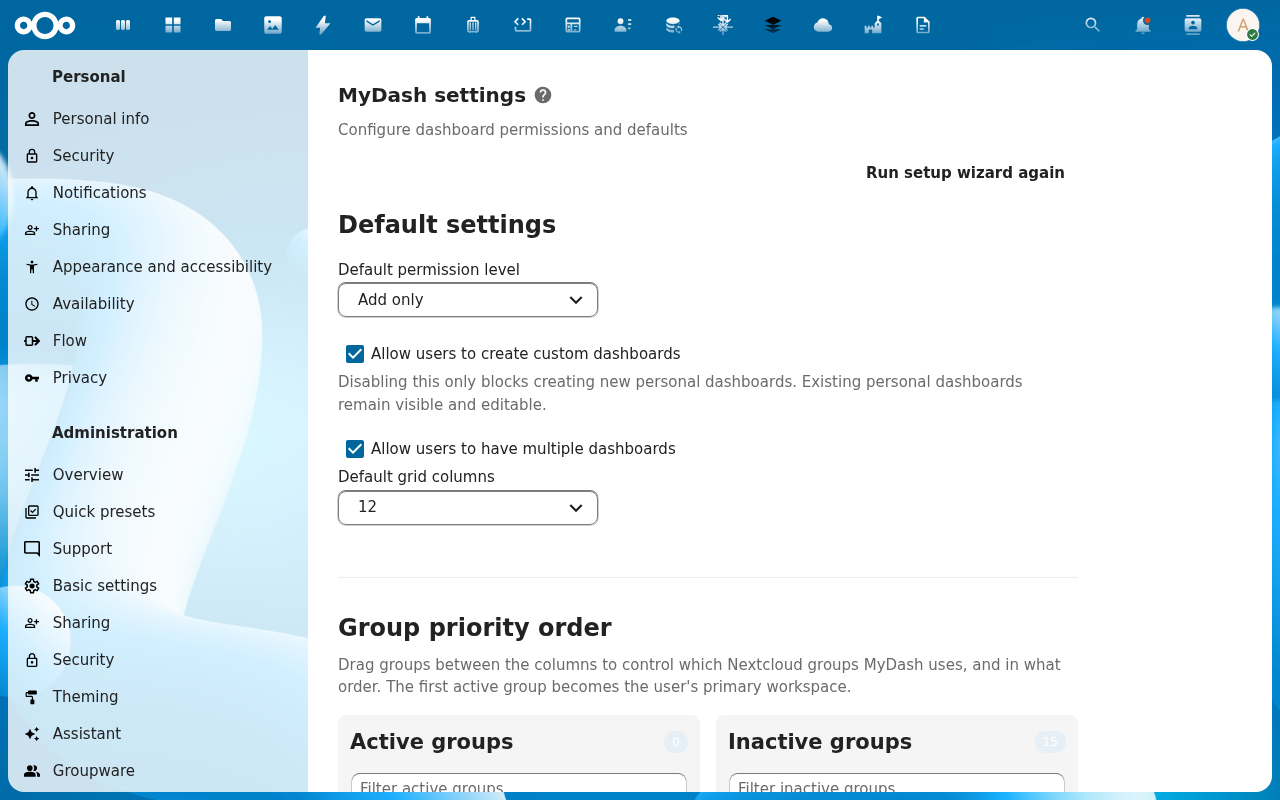
3. Flip the toggle
The change persists immediately — no Save button. The flag is stored in oc_mydash_admin_settings (key allow_user_dashboards).
4. Verify on the user side
Open MyDash as a non-admin user.
- Toggle on → + Add dashboard is visible in the sidebar; the empty state shows the standard "Create your first dashboard" CTA.
- Toggle off → button hidden; empty state shows "Personal dashboards are not enabled by your administrator."

Behaviour notes
- Existing personal dashboards survive. Disabling doesn't delete user dashboards — they remain accessible. Only creation is blocked.
- Backend enforcement. Even if a curl request bypasses the UI, the
POST /api/dashboardcontroller callsassertPersonalDashboardsAllowed()and responds with403 personal_dashboards_disabledwhen the flag is off. - Group-shared dashboards are unaffected. Admin templates and group defaults render regardless.
Common issues
| Symptom | Fix |
|---|---|
| Toggle is missing | Confirm the user is actually a Nextcloud admin (occ user:info <name>). |
| Users still see + Add after disable | Apache apc cache. docker exec nextcloud apache2ctl graceful to refresh. |
| Newly-created users land on no-dashboard | Either the toggle is off, OR no admin template applies — see Create an admin template. |